 ROCKCLASHGet the iPhone app ↗
Four-lane practice routine
Your first four-lane rhythm practice in RockClash
A 10-minute beginner exercise using the actual RockClash lanes, controls and results screen. No new purchase required to practice. RockClash is an iPhone rhythm game. You read four lanes and tap or hold in time, then you get score, accuracy, maximum combo and perfect, great, good and miss counts. That is the whole loop for this first practice.
VERIFIED AGAINST THE CURRENT PRODUCT · UPDATED JULY 16, 2026- Practice catalog
- Use one of the 50 included songs; you do not need to create a song for this exercise.
- Layout
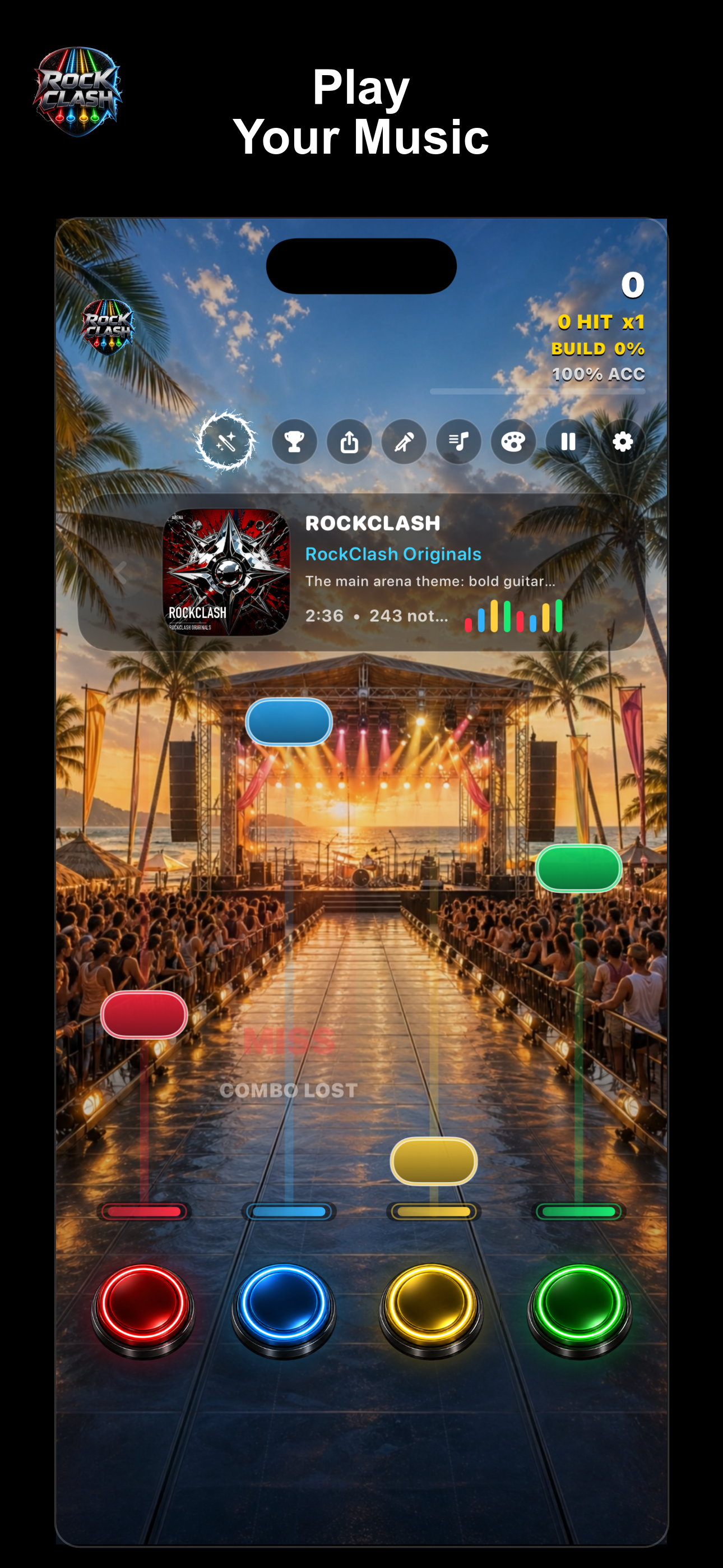
- Charts use four color-coded lanes with red, blue, yellow and green controls, left to right.
- Inputs
- Practice covers tap notes and hold notes, held until the tail ends.
- Feedback
- Completed runs show score, accuracy, maximum combo and perfect, great, good and miss counts.
Set up the run
Open RockClash on iPhone and pick an included song you already know the chorus of. Choose the Easy chart feel first. Easy, normal, hard and expert change chart feel, not the four-lane language. The lanes stay left to right in the same order, with red, blue, yellow and green controls. That consistency is what you are training. Play in a quiet place with sound on. If you use Bluetooth audio, expect slight delay; finish this practice with wired audio or phone speakers and revisit the in-app timing calibration guide only after you have a baseline.
- Pick an included song you already know the chorus of
- Choose the Easy chart feel first; lanes stay in the same order
- Use wired audio or phone speakers for a clean baseline
The 10-minute exercise
Run the same short section three times. Do not jump to a harder song between runs. First run: watch only. Play on Easy and keep your eyes in the middle of the lane field, not on your fingers. Let tap notes and hold notes come to you. The goal is no broken streak panic, just finish and read the results screen. Second run: assign one finger per side, not four fingers. Use two thumbs or two index fingers and let each side cover two lanes. Hold notes must be held until the tail ends; releasing early breaks combo continuity. This two-finger frame is steadier for beginners than chasing each lane with a different finger. Third run: pick one lane to clean up. Look at your perfect, great, good and miss counts from run two. If most misses are on one color, watch that lane only on the next chorus and keep the other three soft. One cleaner lane usually lifts accuracy and maximum combo more than tapping harder everywhere. Illustrative example: say run two shows 82% accuracy with 12 misses, 8 of them on yellow. On run three you watch yellow through the chorus, hold its long notes full length, and finish at 88% with 5 misses. That is the kind of small, readable gain this exercise is for; your numbers will differ.
- First run: watch only, eyes in the middle of the lane field
- Second run: one finger per side; hold notes until the tail ends
- Third run: clean up the single weakest lane color
How to read the result
A completed run shows score, accuracy, maximum combo and the note breakdown. Read them in that order. Score tells you the run total. Accuracy tells you timing cleanliness. Maximum combo tells you continuity. Perfect, great, good and miss tells you where timing slipped. If combo drops but accuracy is steady, you missed releases on hold notes. If accuracy drops but combo holds, you are tapping early or late. When you can finish Easy with mostly perfect and great and few misses, try the same song on normal. Do not change songs and difficulty at once.
- Read score, then accuracy, then maximum combo, then grades
- Combo drops with steady accuracy point to hold releases
- Raise difficulty only on the same song after consistent runs
What not to do in this first session
Do not start with song creation. Creation makes track, lyrics, cover artwork and playable beatmap as one object and checks generation credits; the app offers credits for one, ten or thirty generations. Practice does not spend credits. Learn the lanes first, then read Create a playable song in RockClash when you have an idea you want to play.
- Stay with included songs; creation can wait
- Practice does not spend generation credits
- Learn the lanes before generating a track
Next steps in the app
When this feels comfortable, continue with the measured paths already on the site: How to play RockClash for controls, Tap notes vs hold notes for holds, Combo, score and note grades for grading, and the three live practice charts for combo continuity, hold-note control and four-lane balance at /practice-charts. RockClash is currently available for iPhone through its live App Store listing. This page does not claim an Android or browser release. Publisher is Code Austral LLC.
- How to play RockClash for controls
- Tap notes vs hold notes for hold technique
- Combo, score and note grades for reading results

Play this practice in the iPhone app — Download on the App Store ↗